
Hey Guys, Are you a web developer or full stack developer? And you are using the Visual Studio Code as your IDE? If your are not using it you can download it from here for our specific operating system. This blog will help you with features and amazing extensions of VS code which will boost your productivity in workplace.
First let's know what is VS Code?
Visual Studio Code (VS Code) is a source-code editor made by Microsoft for Windows, Linux and mac-OS. It is open-source software that includes features like support for debugging, syntax highlighting, intelligent code completion, snippets, code refactoring, and embedded Git versioning. It provides a wide range of extensions that help in web development.
Some features of VS Code
- Meet IntelliSense: Go beyond syntax highlighting and autocomplete with IntelliSense, which provides smart completions based on variable types, function definitions, and imported modules.
- Print statement for debugging: Debug code right from the editor. Launch or attach to your running apps and debug with breakpoints, call stacks, and an interactive console.
- Git commands built-in: Working with Git and other SCM (Supply Chain Management) providers. Review differences, stage files, and make commits right from the editor. Push and pull from any hosted SCM service.
- Extensible and Customizable: Install extensions to add new languages, themes, debuggers, and to connect to additional services. Extensions run in separate processes, ensuring they won't slow down your editor.
- Deploy with confidence and ease: With Microsoft Azure, you can deploy and host your React, Angular, Vue, Node, Python (and more!) sites, store and query relational and document-based data, and scale with serverless computing, all with ease, all from within VS Code.
How to Install Extensions in VS Code?
- Open VS code and press Ctrl/Command + Shift + X or by clicking on the extension icon on the left sidebar.

- Search for the extensions.

- Click on install.

What can extensions do?
Here are some examples of what you can achieve with the Extension API:
- Change the look of VS Code with a colour or file icon theme - Theming
- Add custom components & views in the UI - Extending the Workbench
- Create a Webview to display a custom web page built with HTML/CSS/JS - Webview Guide
- Support a new programming language - Language Extensions Overview
- Support debugging a specific runtime - Debugger Extension Guide
1.) JavaScript (ES6) code snippets
As everyone knows that JavaScript is the core of web development. This extension contains code snippets for JavaScript in ES6 syntax for Vs Code editor (supports both JavaScript and Typescript). There are lots of code snippets that we use daily and this extension helps you by not writing that repetitive code again and again.

This extension provides code snippets for the following technologies:
- JavaScript (.js)
- Typescript (.ts)
- JavaScript React (.jsx)
- Typescript React (.tsx)
- Html (.html)
- Vue (.vue)
2.) Live Server
The Live Server lets you turn your VS Code editor into a fully functional IDE. It launches a local development server with a live reloading feature for static & dynamic pages, incorporating shortcuts for starting and stopping servers, hotkey controls, remote connection, and Chrome debugging.

3.) Auto Rename Tag
This extension lets you automatically rename paired HTML/XML tags. No need to go find the other tag in the whole big document.

4.) Vscode-icons
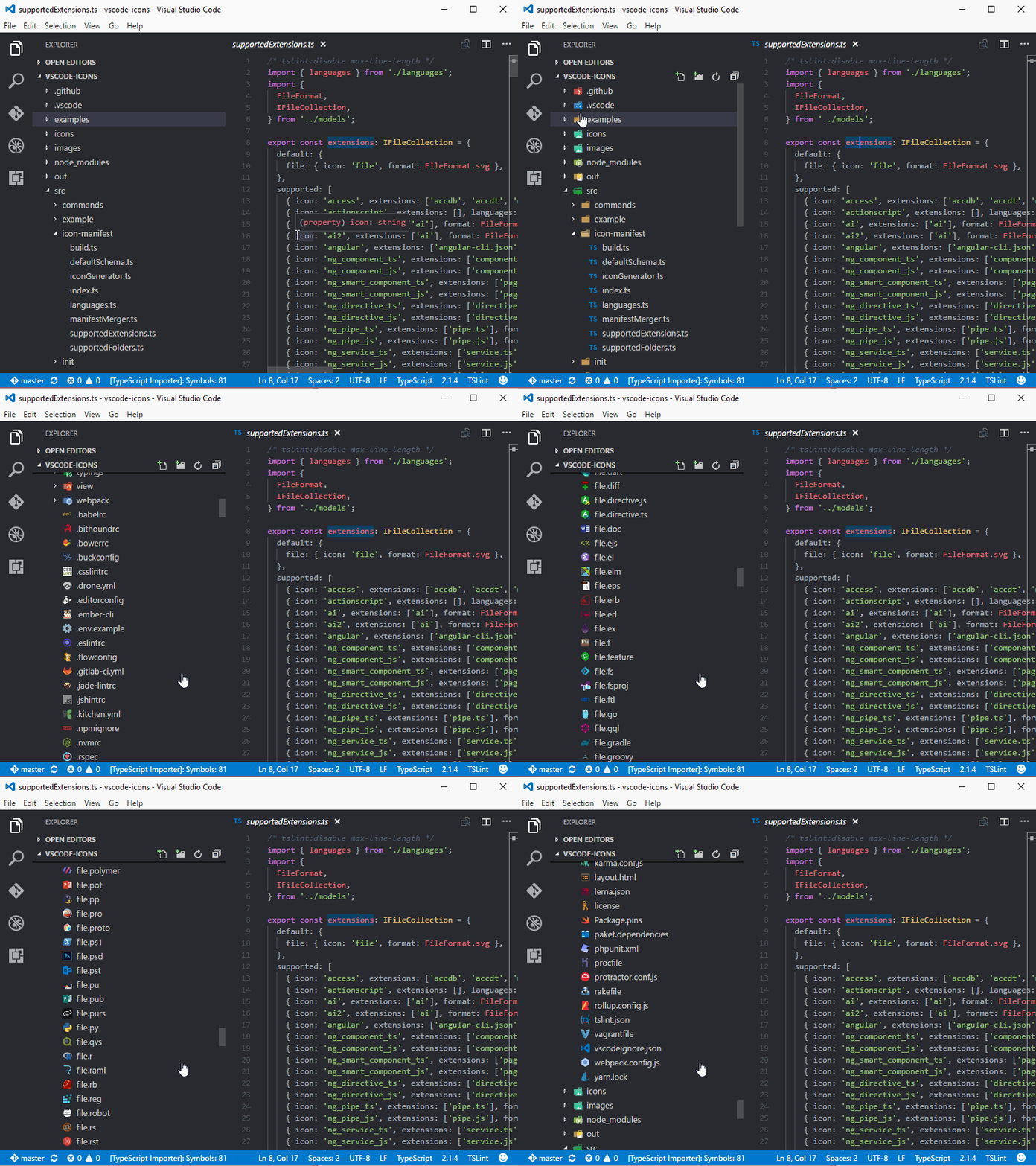
Everything looks the same when we start using the VS Code for all the folders and files. And when the project grows it's difficult to scan file structures visually. vscode-icons gives visually appealing icons making it easy for you to access what you need.
5.) Path Intellisense
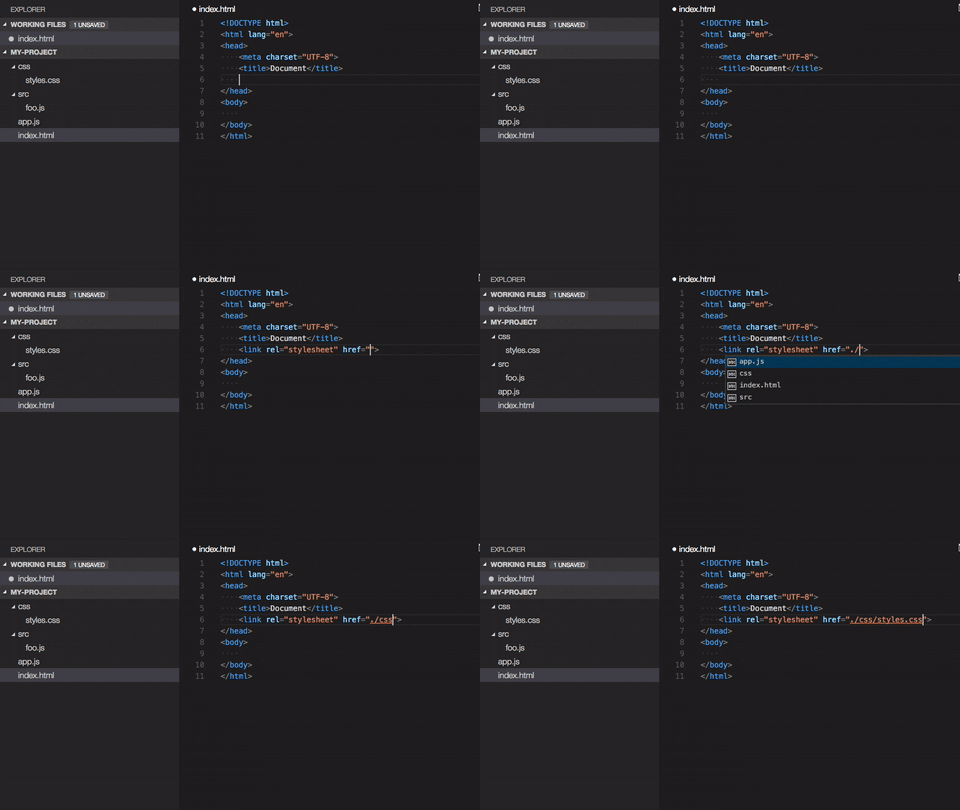
It is difficult to remember each file name while working on a huge project. This is the point where this plugin helps developers. This visual studio code plugin autocompletes filenames.
6.) Prettier - Code Formatter
Code formatting is required to make your code more readable and easy to understand. Prettier is an opinionated code formatter. It enforces a consistent style by parsing your code and re-printing it with its own rules that take the maximum line length into account, wrapping code when necessary.

7.) GitLens
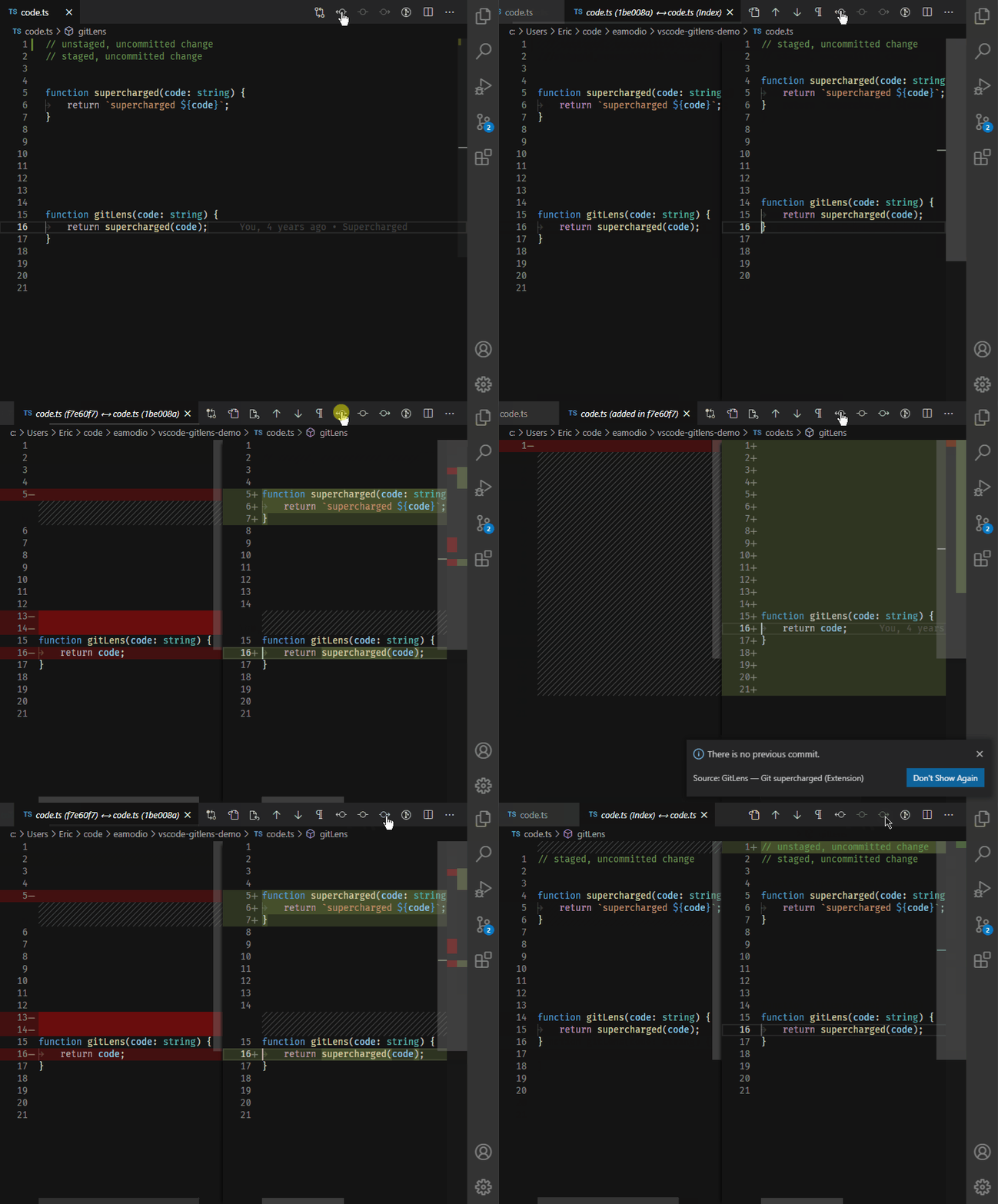
GitLens is an open-source extension for Visual Studio Code. GitLens simply helps you better understand code. Quickly glimpse into whom, why, and when a line or code block was changed. Jump back through history to gain further insights as to how and why the code evolved. Effortlessly explore the history and evolution of a codebase.
8.) ESLint
ESLint analyzes your code to quickly find problems found in ECMAScript/JavaScript code. ESLint is built into most text editors and you can run ESLint as part of your continuous integration pipeline. Many problems ESLint finds can be automatically fixed. ESLint fixes are syntax-aware. In many ways, it is similar to JSLint and JSHint. ESLint is completely pluggable, every single rule is a plugin and you can add more at runtime.

9.) SQLTools
SQLTools is help in connecting to database directly from the VSCode. Connection explorer, query runner, IntelliSense, bookmarks, query history. Feel like a database hero! You can read the entire docs.

10.) Regex Previewer
Regex can be confusing sometimes. This is why Regex Previewer is such a handy extension plugin tool for your VS Code setup. It shows the regular expression match with a side-by-side window with real-time live-updating based on your regex.

11.) ES7, React, Redux & GraphQL Snippets
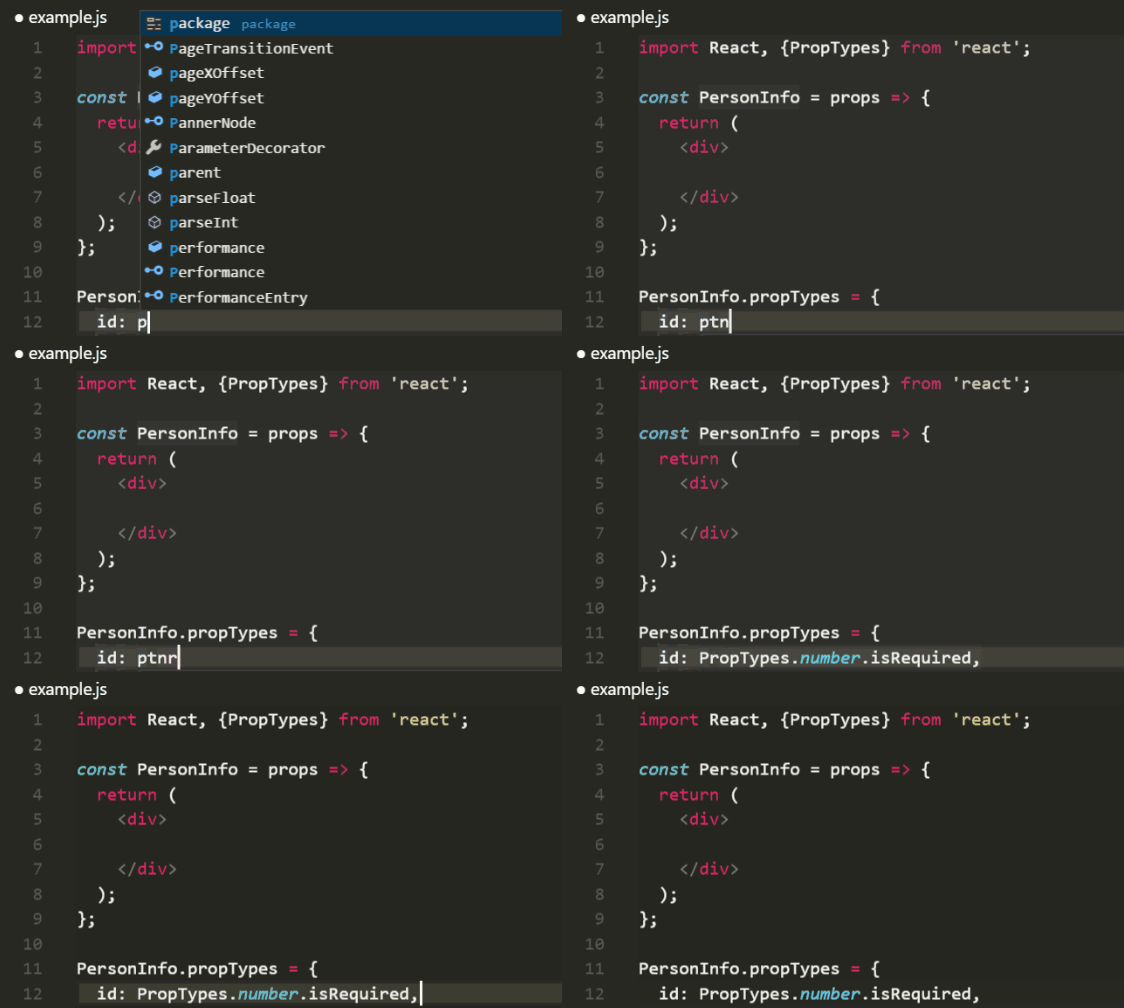
JavaScript is everywhere, and ES7, React, Redux & GraphQL Snippets cover almost everything you need to get started with modern app development efficiently. This plugin extension makes a great alternative to any other JavaScript-based code snippets that you might already be using.
12.) Test Explorer UI
Testing can be a manual process, if not a complicated one. TEST Explorer UI is an extension that provides developers with a UI for running their tests in Visual Studio Code. This plugin extension supports a myriad of languages and includes JavaScript, ABAP, C, C++, Exlir, Elm, Go, Haxe, Java, Python, Ruby, REST/GraphQL, and other popular languages and implementations.

Comments
Post a Comment